If you have ever tried to track your trades seriously, you probably started with Excel. It's free, flexible and feels productive – until you spend 45 minutes on a Sunday manually punching in 30 trades and realise you still have no idea why last week was your worst in two months. The majority of forex and crypto traders start with a trading journal in Excel. The serious ones end up with automated software. In this guide, we breakdown exactly what each approach gives you, what it costs you and how to decide which one is right for your current stage as a trader.
What a Trading Journal in Excel Actually Looks Like
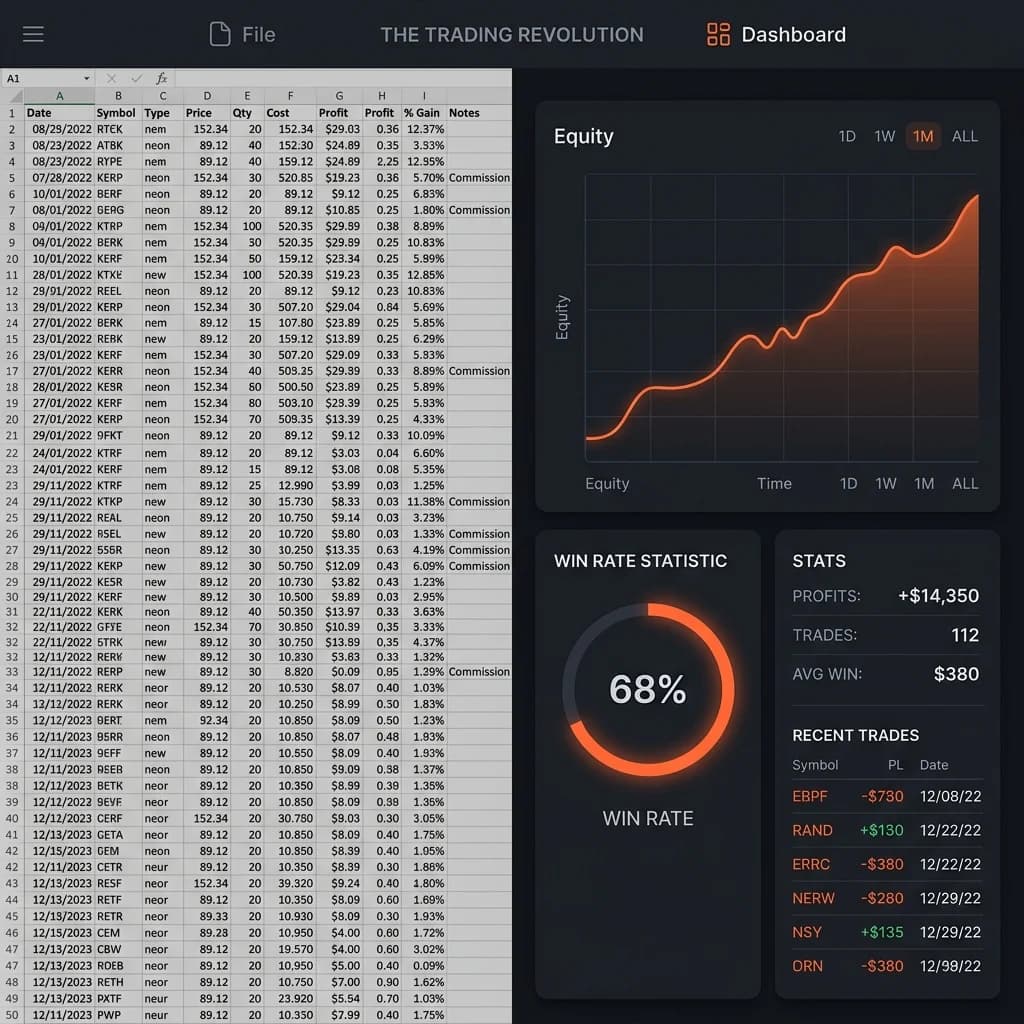
A typical excel trading journal will have columns for date, pair, direction (buy/sell), entry price, exit price, stop loss, take profit, lot size, profit/loss in pips, profit/loss in currency and possibly a notes column. More advanced versions include calculated fields such as: risk-to-reward ratio, win rate running total, cumulative equity.
It takes 2 to 4 hours to build it from scratch. If you are diligent it takes five to fifteen minutes per trade to maintain – more if you trade frequently. There are templates available online that save build time but they still require manual data entry each and every session.
What Excel does well:
- Complete flexibility, you build all the columns and formulas
- No subscription fee
- Works offline
- Easy to print or share for study sessions
What it does badly:
- No automatic trade data import – all entries are manual
- Formulas break if you add rows incorrectly
- Visualisations need more work (pivot tables, separate chart sheets)
- No built-in tagging, filtering or pattern spotting
- Version control is a nightmare if you switch between multiple accounts
For a trader who does 10–20 trades per month, Excel is okay. If you have an MT4 or MT5 account and trade 50+ trades it becomes a second job.
How Automated Trading Journal Software Is Different
Automated trading journal software directly connects to your broker data and imports your trades without you having to do anything. You trade, the journal is updated. That one difference changes everything about working with the data.
Automation turns your journal into a live performance dashboard, rather than a historical log. Instead of analyzing last week's trades on a Sunday, you're analyzing patterns in real time – which setups are working this month, which pairs are draining your account, which sessions are producing your best results.
Key features that automated software adds over Excel:
- Auto-sync via Expert Advisor or broker API – no manual input
- Tag-based filtering – tag trades by strategy, session, or emotional state and filter results immediately
- Visual analytics – equity curve, drawdown chart, profit factor, average win vs average loss, all auto-generated
- Mindset journaling – record your feelings before and after each trade, alongside the numbers
- Multi-account support – see all your trading activity in one place
It's not just about being more convenient. It's the difference between data and actionable intelligence.
The Hidden Price of Manual Data Entry
Excel has a cost that you never see in your spreadsheet: the trades you do not log.
All manually maintained journals have holes. A busy week. A bad loss you don't want to review. A string of trades you jumped in on and forgot to note down. These gaps aren't random — they cluster around your worst trading periods, which are the very data you need to study most.
Automated software takes care of that completely. Because it imports without your input, it captures all your trades – the good, the bad and the ones you'd rather forget. Real edge discovery is predicated on a complete dataset.
There is consistent research on trading behaviour where traders self-report losing trades as less than they were and winning trades as more than they were. Automation takes the human filter out of your data.
Building a Trading Journal in Excel: Step-by-Step
If you're just getting started and want to try Excel first, here's a structure that works:
- Create these columns: Date, Pair, Direction, Entry, Stop Loss, Take Profit, Exit, Lot Size, Pips P&L, Currency P&L, R-Multiple, Setup Tag, Notes
- Add calculated fields: R-Multiple = (Exit − Entry) / (Entry − Stop Loss) for longs. This equalises your results across various lot sizes.
- Build a summary tab with running totals: total trades, win rate, average R, profit factor (gross profit / gross loss), max drawdown.
- Export from MT4/MT5 weekly using the Account History tab, then copy-paste into your journal. That reduces a bit of manual entry.
- Review every Sunday – look at your last 20 trades by setup tag and see which ones had positive expectancy.
That'll work. It's slow, fragile, and easy to abandon.
When to Transition from Excel to Automated Software
The best time to upgrade is sooner than most traders realise. Here are the tell-tale signs:
- You're skipping log entries because entry feels like too much work
- You trade more than 3–4 times per week
- You can't quickly answer "what's my win rate on London session EURUSD trades this month?"
- You are currently in a prop firm challenge or getting ready for one
- You've tried to pull insights from your Excel data and given up
Manual journaling in particular doesn't cut it for prop firm traders. A 5% max drawdown rule leaves little room for the kind of undocumented pattern that quietly bleeds your account. You need full, real-time data — not a Sunday spreadsheet.
How Edgelog Automatically Replaces Your Excel Journal
Edgelog is designed for MT4 and MT5 traders who want the structure of a free trading journal without the manual effort. Its Expert Advisor installs in your terminal and automatically syncs every trade as soon as it closes — including entry, exit, lot size, result, and timestamp.
The analytics dashboard then does everything your Excel summary tab tried to do, without the formulas:
- Win rate and profit factor broken down by pair, session, or tag
- Equity curve updated in real time
- Drawdown tracking so you always know where you stand relative to your risk limits
- Trade tagging to label setups and filter results by strategy
- Mindset journaling embedded in every trade entry
You can explore the full feature set on the FAQ or check the pricing page — there is a free tier that includes everything a serious retail trader needs to get started.
Moving from an Excel trading journal to Edgelog isn't about spending money on software. It's about deciding your time is better spent analysing your trading rather than typing data into cells.
Excel vs Automated Software: The Honest Verdict
Excel is a good place to start. It tells you what data is important and makes you think about your trading in a structured way. If you're new to journaling, using an Excel template for your first month is a reasonable on-ramp.
But if you're trading consistently — 10+ trades a week, running a funded account, or actually trying to build a repeatable edge — manual journaling becomes a liability. The data gaps, the time cost, and the lack of dynamic filtering all work against you.
Automated software isn't only a time-saver. It gives you a level of self-knowledge that spreadsheets can't match, because the data is complete, visual and always current.
If you're ready to stop maintaining a journal and start learning from one, start journaling free with Edgelog today — your MT4 or MT5 trades will be syncing within minutes.