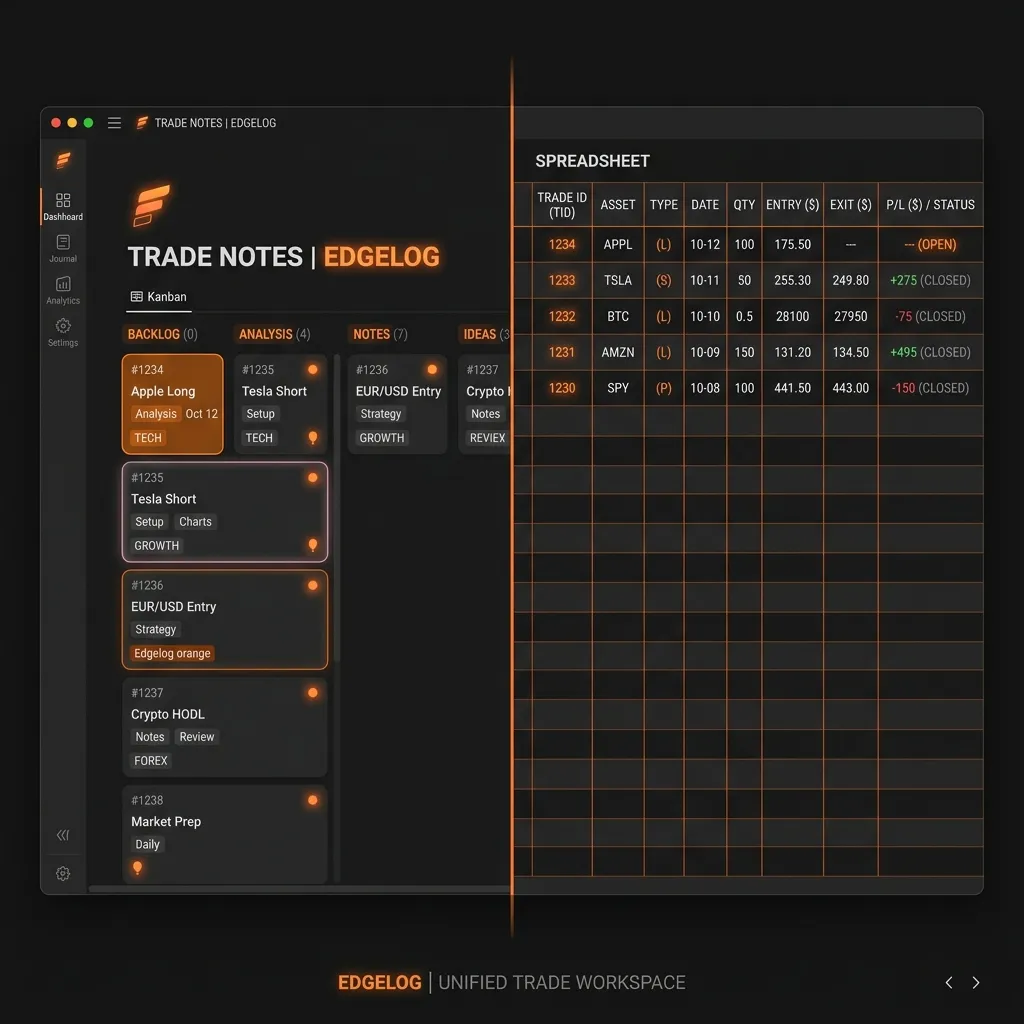
Notion vs Excel for Trading Journal: An Honest Comparison
Most traders start the same way. You finish a rough week, decide you need to get serious about tracking your trades, and you open either a blank Excel spreadsheet or a shiny new Notion page. Two hours later you've built something that looks vaguely organised — and three weeks later you've stopped using it.
Sound familiar? That cycle isn't a discipline problem. It's a tool problem. Both Notion and Excel can technically function as trading journals, but neither was built for the job. This post breaks down exactly what each one does well, where each one falls apart, and what the real tradeoff looks like for a forex or crypto trader trying to build a genuine edge.
---
What Traders Actually Need from a Journal
Before comparing tools, it's worth being clear about what a trading journal is supposed to do. It's not just a log of entries and exits. A useful journal should:
- Record every trade automatically or with minimal friction
- Track performance metrics — win rate, profit factor, average R, drawdown
- Let you tag trades by setup, session, or pair so you can spot patterns
- Support reflection on your psychology and decision-making
- Show you your equity curve over time
That's the bar. Keep it in mind as we look at both options.
---
Excel for Trading Journals: The Case For It
Excel is the default choice for a reason. It's powerful, flexible, and almost every trader already has it. If you know your way around formulas, you can build something genuinely useful — a tab for trade data, another for a running P&L, pivot tables filtering by currency pair or strategy.
Plenty of traders have shared free templates online that give you a decent head start. You can calculate your profit factor manually, colour-code your win/loss rows, and even build a rough equity curve using a line chart. For a beginner who wants to understand their numbers, spending time in a spreadsheet isn't wasted.
The real strengths:
- Full control over structure and formulas
- Free if you already have Microsoft Office or use Google Sheets
- Portable — your data lives in a file you own
- Calculable — anything you can express as a formula, you can track
---
Where Excel Breaks Down for Traders
Here's where it gets honest. Excel works well until it doesn't, and it breaks down in predictable ways.
Manual data entry is the first killer. Every trade has to be typed in by hand — entry price, exit price, lot size, pair, time. After a busy week of scalping EUR/USD or trading crypto on multiple sessions, that's a significant chore. Most traders skip entries. Then the data is incomplete. Then the insights are meaningless.
The formulas break. If you didn't build the spreadsheet yourself, you don't fully understand it. Paste a row in the wrong place and your P&L formula references the wrong cells. These errors are silent — your win rate looks fine, but it's wrong.
There's no psychology layer. You can add a "notes" column, but there's no structure forcing you to reflect on your mindset before and after a trade. That discipline gap is exactly where most retail traders leak edge.
Visualisation is clunky. Building a proper equity curve or drawdown chart in Excel takes real effort. Most traders don't bother, which means they miss the big picture on their account health.
---
Notion for Trading Journals: The Case For It
Notion has become a serious contender, especially among traders who like structured note-taking. The appeal is real. You can create a database of trades with custom properties — setup type, emotional state, session, result — and filter or sort any way you want. The linked pages let you write detailed post-trade notes alongside your numbers. It genuinely feels like a proper system.
What Notion does better than Excel:
- Richer journaling — long-form notes, images, checklists all in one entry
- Database views — see your trades as a table, a board, or a calendar
- Templates — the community has built some impressive trading journal templates
- Cross-device — works cleanly in the browser and on mobile
If journaling the qualitative side of your trading — the "why did I take that trade" reflection — is your priority, Notion is genuinely better than Excel for that layer.
---
Where Notion Falls Short
The numbers side is where Notion struggles. It's not a spreadsheet. Doing real performance calculations inside Notion requires workarounds — you end up building formulas in properties that aren't designed for financial analysis. Calculating profit factor, expectancy, or average R:R across filtered trade sets is either impossible or requires exporting to a spreadsheet anyway. You've now got two tools instead of one.
Like Excel, Notion requires manual data entry for every trade. There's no MT4 or MT5 integration. No auto-sync. If you're trading actively, keeping your Notion database current is a part-time job.
Notion is also a general-purpose tool. It doesn't know that you're a trader. It won't prompt you to record your pre-session bias, flag a drawdown threshold, or show you your performance broken down by setup tag. You have to build all of that scaffolding yourself — and then maintain it.
---
The Hidden Cost Both Tools Share
The real problem with both Notion and Excel isn't any single weakness. It's the maintenance tax.
Every hour you spend building formulas, fixing broken templates, manually entering trades, or trying to make a general-purpose tool behave like a trading journal is an hour you're not actually reviewing your trades. The friction compounds. Entries get skipped. Reviews don't happen. The journal that was supposed to help you build edge slowly becomes another abandoned project.
There's a reason most professional or consistently profitable traders eventually stop using DIY journals. The overhead eats into the time that actually matters.
---
What Purpose-Built Trading Journals Do Differently
This is where Edgelog comes in. It was built specifically for this problem — the gap between "I know I should journal" and "I actually do journal consistently."
A few things that work differently on a purpose-built platform:
- Auto-sync via MT4/MT5 Expert Advisor. Your trades import automatically. No manual entry, no missed trades, no silent errors in your data.
- Built-in analytics. Win rate, profit factor, expectancy, equity curve, and drawdown are calculated for you — filtered by pair, session, strategy tag, or date range.
- Trade tagging and strategy playbook. Tag every trade with a setup type and build a library of your strategies. Over time you can see exactly which setups have positive expectancy and which ones are bleeding your account.
- Psychology journaling built in. Pre-session and post-trade reflection fields are part of the workflow — not a column you added and forgot about.
You can start a free trading journal and have your MT4 or MT5 trades syncing within a session. No spreadsheet maintenance required.
---
So Which Should You Choose?
If you're just starting out and want to build the habit of tracking your trades, either Excel or Notion can work — Excel if you're comfortable with formulas, Notion if you want richer notes. The goal is to start somewhere.
But be realistic about the ceiling. As your trade volume grows and you start asking serious questions — "What's my actual profit factor on my London session breakout setups?" or "Am I consistently oversizing after a losing streak?" — a DIY tool will start working against you. The setup that felt productive when you had 20 trades logged becomes unwieldy at 500.
Whichever path you take, the non-negotiable is consistency. A simple journal you use every day beats a sophisticated one you abandoned in week three.
If you want to read more about building effective trading habits, check out the blog or browse the FAQ for common questions about getting set up.
The traders who genuinely improve over time aren't the ones who built the prettiest spreadsheet. They're the ones who actually reviewed their trades, found patterns in their data, and made adjustments. Edgelog is built to make that process as frictionless as possible — so the tool stays out of the way and the insight stays in focus.
Ready to stop maintaining your journal and start learning from it? Start journaling free and let your trades sync automatically from day one.