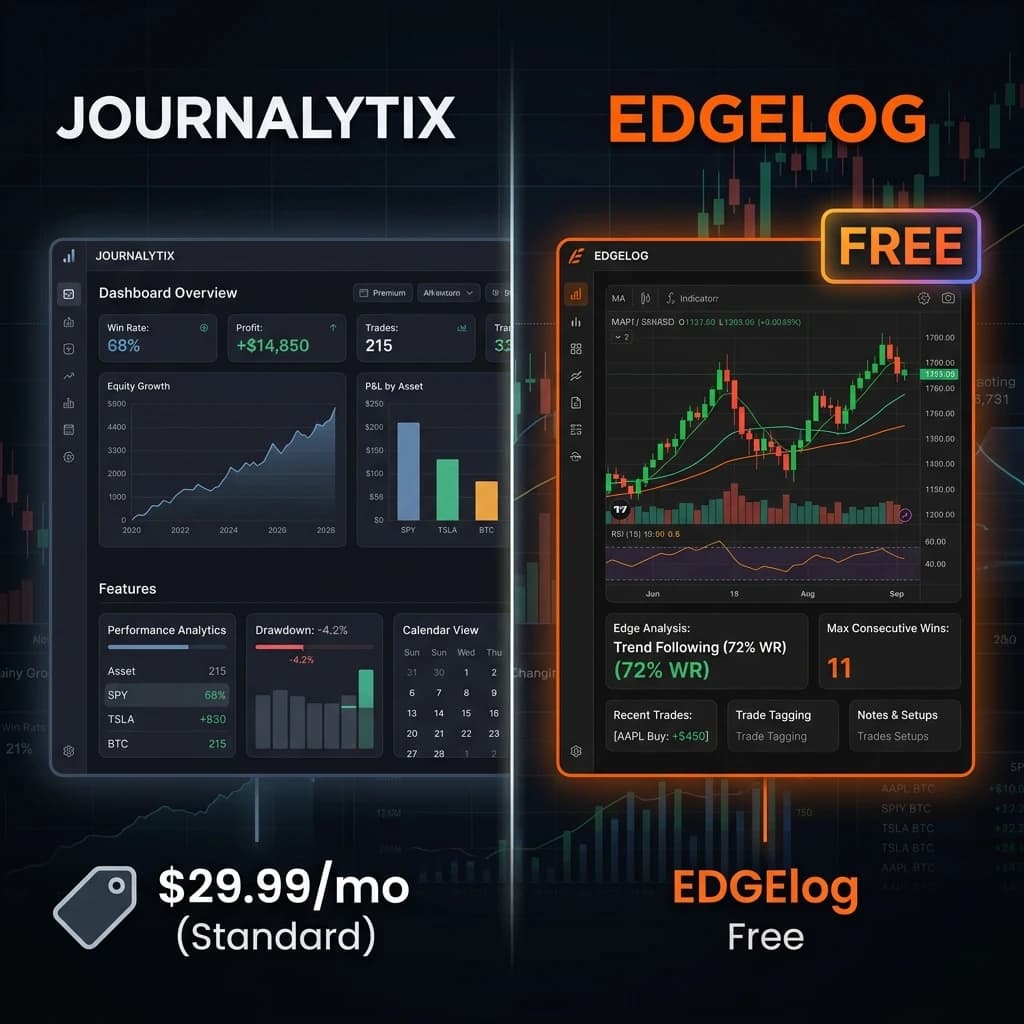
Is Journalytix Worth Paying For — Or Is There a Better Free Option?
If you've been shopping around for a trading journal, Journalytix has probably come up. It's well-known, it has decent analytics, and a lot of traders in prop-firm communities talk about it. But here's the thing: it costs money every month. And when you're already paying for a prop challenge, a data feed, maybe a VPS — that monthly fee starts to feel like a lot for something that should help you save money, not spend more of it.
This post is a direct comparison. You'll see exactly what Journalytix offers, where Edgelog matches or beats it, and where each tool makes the most sense depending on your situation. No fluff, no affiliate spin — just the breakdown you'd want from a trader who's actually looked at both.
---
What Journalytix Actually Offers
Journalytix is a browser-based trading analytics platform with a focus on performance reporting. Its core sell is automated trade import — connect your MT4/MT5 account and it pulls in your history without manual CSV uploads. From there, you get:
- Win rate, profit factor, and expectancy breakdowns
- Session and currency pair analysis
- Drawdown tracking and equity curve visualisation
- Some journaling capability for trade notes
It's genuinely useful, especially for traders who want a clean dashboard and don't want to build their own spreadsheet. The MT4/MT5 sync works, and the visual reports are easy to read.
The catch? The free tier is limited enough that you'll hit the ceiling quickly — especially if you trade multiple accounts or run a lot of volume. To get the full analytics suite, you're looking at a paid subscription. Depending on when you check, that can run anywhere from $20–$40/month. That's $240–$480 a year just to look at your own trade data.
---
Where Edgelog Comes In as a Journalytix Alternative
Edgelog is a free trading journal built specifically for forex and crypto traders on MT4 and MT5. The core feature set overlaps with what you'd expect to pay for on Journalytix — and in some areas, goes further.
Here's what you get with Edgelog at no cost:
- Automated MT4/MT5 sync via an Expert Advisor — no manual imports, no CSV headaches
- Performance analytics: win rate, profit factor, average RR, equity curve, and drawdown metrics
- Trade tagging — tag trades by strategy, session, pair, or setup type so your data is actually searchable
- Psychology and mindset journaling — log emotional state, confidence, and execution quality per trade
- Strategy playbook — document your setups with rules, so you can compare how you planned to trade versus how you actually traded
That last point matters more than people realise. A lot of traders know their strategy on paper. Edgelog helps you figure out whether you're actually executing it — or drifting into revenge trades and FOMO entries when the market moves against you.
---
Head-to-Head: Feature Comparison
Let's get specific. Here's how the two platforms stack up on the things that actually matter to a retail trader or prop-firm challenge taker.
MT4/MT5 Auto-Sync Both platforms handle this. Edgelog uses a dedicated Expert Advisor that runs on your terminal and pushes trade data automatically. Journalytix uses a similar connection method. Neither requires you to export CSV files manually, which is good — manual imports are where journaling habits break down.
Analytics Depth Journalytix has strong visual reporting, particularly for session-by-session analysis. Edgelog covers the core metrics — win rate, profit factor, expectancy, equity curve, max drawdown — that most traders actually need to improve. If you're a quantitative trader running 500+ trades a month and want 12-dimensional breakdowns, Journalytix's paid tier might edge ahead. For 90% of retail traders, Edgelog's analytics are more than enough.
Psychology and Mindset Tracking This is where Edgelog clearly differentiates. Journalytix is primarily a performance analytics tool — it focuses on the numbers. Edgelog treats the mental side of trading as a first-class feature. You can log how you felt going into a trade, rate your execution discipline, and track whether emotional states correlate with your losing streaks. For prop-firm challenge takers especially, this kind of self-awareness is often the difference between passing and blowing an account.
Strategy Playbook Edgelog includes a built-in strategy playbook where you document your setup rules. Then, when you review trades, you can see whether you followed the playbook or improvised. Journalytix doesn't have this feature in a structured way.
Pricing Edgelog is free. Journalytix requires a paid subscription for full access. That's the clearest difference on this list.
---
Who Should Still Consider Journalytix
Honestly? If you're running a funded account at significant size, managing multiple accounts across different brokers, and you want institutional-grade reporting with deep session analytics — Journalytix's paid tier has a case. Some prop-firm traders also use it because their firm specifically recommends it or provides a discount.
But if you're a retail trader grinding a challenge account, building your first consistent strategy, or just trying to stop making the same mistakes every week — you don't need to pay for that. The fundamentals of journaling don't require a premium subscription.
You need to log every trade. You need to see your real win rate (not the one you remember). You need to understand which setups actually make money and which ones you just feel good about. All of that is available in Edgelog, for free.
---
The Real Reason Most Traders Don't Journal
Here's something worth being blunt about: most traders don't journal because it feels like admin. You close a trade, you want to move on, and the idea of opening another tab and typing notes sounds tedious. That's a real problem — and it's why automated sync matters more than any specific feature.
When Edgelog's Expert Advisor pulls your trades automatically, all you have to do is add context — a tag, a note, a quick emotional check-in. It takes two minutes. That's sustainable. A tool that requires you to manually import a CSV file every week will get abandoned by week three. Sound familiar?
The best trading journal is the one you actually use. Both Edgelog and Journalytix solve the import problem. But Edgelog removes the cost barrier too, which means you can start today and stay consistent without a subscription looming over you.
Check out the Edgelog FAQ if you have questions about how the MT4/MT5 sync works, or browse the blog for guides on how to structure your journaling process.
---
How to Switch From Journalytix to Edgelog (Or Start Fresh)
If you're already using Journalytix and considering a switch, here's the short version:
- Start a free trading journal on Edgelog — it takes about two minutes to set up an account
- Download the Expert Advisor from your dashboard and attach it to your MT4/MT5 terminal
- Set your account parameters (risk settings, pairs, session times if relevant)
- Let the EA run — your trade history will start syncing automatically
- Begin tagging trades by strategy or setup type from day one so your data is useful from the start
- Add your strategy rules to the playbook so you can audit your execution over time
You don't need to cancel Journalytix first. Run both in parallel for a week, see which one you actually open when you sit down to review. That'll tell you everything.
---
Bottom Line: The Best Journalytix Alternative Is Free
If the only thing stopping you from journaling consistently is the cost, that problem is solved. Edgelog gives you automated MT4/MT5 sync, the core analytics you need to improve, psychology tracking that most paid tools ignore, and a strategy playbook to keep you honest — all without a monthly fee.
Journalytix is a solid product. But for most retail traders and prop-firm challenge takers, you don't need to pay for what Edgelog already gives you. Log your trades, review your patterns, and build a real edge — not a subscription habit.
Start journaling free today and see the difference a structured journal makes in your next trading week.