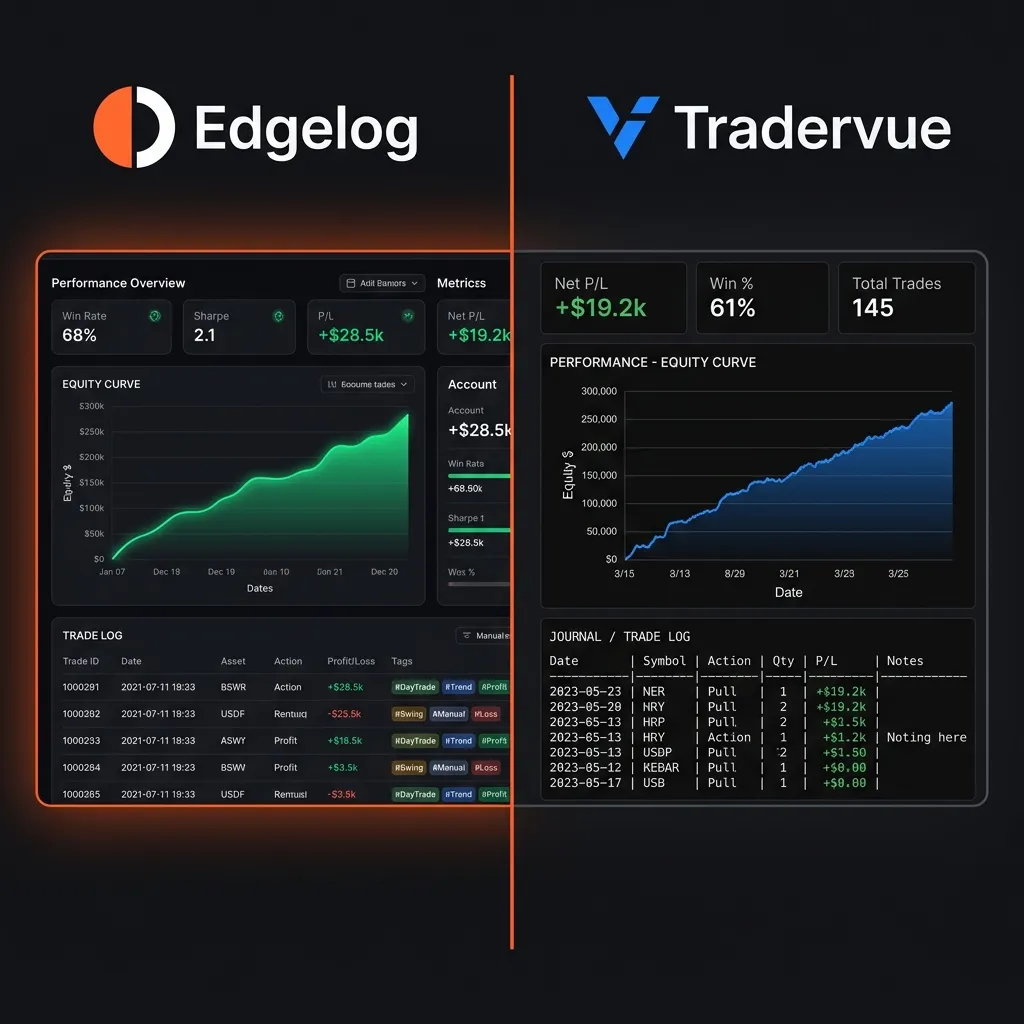
Picking the right trading journal is one of those decisions traders delay for months — and then regret not making sooner. If you've been comparing Edgelog vs Tradervue, you're already asking the right question. Both tools promise to help you review your trades, spot patterns, and stop making the same expensive mistakes. But the differences in what each platform gives you for free are significant. This post breaks it all down so you can stop comparing and start journaling.
What You Actually Get for Free
Free tiers are where most traders start — and where a lot of promises fall apart. Let's be specific.
Tradervue has been around since 2012 and is genuinely respected in the active trading community. Its free plan allows up to 30 trade imports per month. That sounds reasonable until you're running an MT5 account through a prop firm challenge, executing 50+ trades in a single week. Hit that ceiling mid-month and you're either upgrading or going dark on your review process exactly when it matters most.
Edgelog is completely free. No monthly trade cap, no locked analytics behind a paywall, no upgrade prompt appearing right when you're trying to pull your Friday stats. You can import as many trades as your strategy generates. For high-frequency forex scalpers or crypto traders grinding daily setups, that difference is real money saved from day one.
MT4/MT5 Auto-Sync: The Import That Actually Works
If you trade on MetaTrader, manual trade entry is a non-starter. You're not going to copy-paste 40 entries at midnight after a full session. You need automation.
Tradervue supports MT4 import via file export — you download a statement from your terminal, upload it to Tradervue, and the platform processes it. It works, but it's a manual step every single time. Forget one export and your journal has gaps.
Edgelog uses a dedicated Expert Advisor (EA) that runs directly inside MT4 or MT5. Your trades sync automatically in the background while you're focused on the charts. No file downloads. No upload steps. No gaps because you forgot to export on a busy Thursday afternoon. For MT4 and MT5 users specifically, this is probably the single biggest practical difference between the two platforms.
If you trade crypto through an exchange — not MetaTrader — both platforms support manual CSV imports, and Tradervue has broader exchange integrations for equity and futures traders. Worth knowing if you're cross-asset.
Performance Analytics: Can You Actually Find Your Edge?
A journal is only useful if it shows you something you didn't already know. Both platforms offer analytics, but the depth varies.
Tradervue's free plan gives you basic stats — profit/loss by day, win rate, and a trade list. To access detailed reports like profit factor, R-multiple analysis, or trade grouping by tag, you need the Silver plan ($29.95/month) or higher. That's not a criticism — it's a business model. But it does mean your free analytics are limited to surface-level data.
Edgelog includes performance analytics in the free tier. You get your win rate, profit factor, equity curve, and drawdown stats without paying anything. These aren't cosmetic metrics. Profit factor — total gross profit divided by total gross loss — tells you whether your strategy has structural edge or whether your winners are just cancelling out your losers. Knowing that number for free, early in your development, matters.
Sound familiar — spending months trading a system before realising the profit factor is 0.97? That's a losing strategy. You need to see that number before you blow another month of capital, not after.
Trade Tagging and Strategy Playbook
Here's where journaling goes from data logging to actual self-coaching.
Tradervue allows trade tagging on paid plans. You can label trades by setup, session, or instrument and then filter your analytics to see which setups are performing. It's a solid feature. On the free plan, tagging is limited and report filtering is restricted, so the full benefit only comes with a subscription.
Edgelog's trade tagging is available to all users. Tag by session (London open, New York overlap), by setup type (breakout, pullback, range fade), by instrument, or by any custom label that fits your system. Then filter your analytics to see exactly which tags are generating positive expectancy and which ones are quietly draining your account.
The strategy playbook feature takes this further. You can document your actual trade setups — entry conditions, confluence factors, invalidation levels — and link your live trades back to those documented strategies. Over time, you build a living record of whether your rules-based approach is actually performing the way you designed it. That's not something most traders do manually, and it's the kind of structured reflection that separates consistent traders from perpetual learners. You can explore how this works in the blog if you want to go deeper on the journaling methodology.
Mindset and Psychology Journaling
This is the feature most traders skip until they can't ignore it anymore.
Tradervue doesn't have a dedicated psychology or mindset journaling component. You can add notes to individual trades, which is useful. But there's no structured way to track emotional state, pre-session mental check-ins, or post-session reflection against your results. Some traders build this into a separate notebook or Google Doc, which works until it doesn't.
Edgelog includes a mindset journaling layer built into the workflow. Before a session, you can log your mental state, sleep, focus level, and any external stressors. After the session, you reflect on execution quality separate from outcome quality. That distinction matters. You can follow your rules perfectly and still lose money on a given day — and the reverse is also true. Tracking how you traded, not just what you traded, is the piece that closes the loop between discipline and performance.
If you're taking a prop firm challenge, this is especially valuable. Drawdown rules, time pressure, and the psychological weight of funded account evaluations create a distinct performance environment. Having that documented history of your mental game helps you identify the patterns that cause rule breaks — before the next challenge starts.
Check the FAQ if you're wondering how the psychology journaling is structured in practice.
Who Each Platform Is Built For
To be direct about it:
- Tradervue is a mature platform with strong equity and futures integrations, a large user base, and proven credibility. If you trade US equities or futures, or you need deep broker integrations beyond MetaTrader, Tradervue's paid plans are worth evaluating.
- Edgelog is purpose-built for forex and crypto traders using MT4/MT5, with a free tier that doesn't cut you off before you've had a chance to build the journaling habit. If you're a retail forex trader, a crypto discretionary trader, or someone grinding prop firm challenges, Edgelog is built around your workflow specifically.
For intermediate-level traders who want to go from inconsistent results to understanding their actual edge, both tools can work. The question is whether you want to pay for analytics and automation while you're still in the learning phase.
Pricing Reality Check
Tradervue's free plan has the 30-trade monthly cap and limited analytics. Silver is $29.95/month; Gold is $49.95/month. Those tiers unlock tagging reports, detailed analytics, and shared trade features.
Edgelog is free. There's no catch hiding in pricing — the core journaling workflow, MT4/MT5 EA sync, performance analytics, tagging, playbook, and mindset journaling are all available without a subscription. The logic is simple: a trader who can't yet cover a monthly subscription fee should still have access to the tools that help them become consistently profitable.
Making the Call
The Edgelog vs Tradervue comparison comes down to this: what you need right now, and what your trading setup actually looks like. If you're on MetaTrader trading forex or crypto, and you want automated sync, full analytics, and mindset journaling without paying before you've proven your edge — Edgelog is the straightforward answer.
If you're a more advanced trader running multi-asset portfolios across brokers that Tradervue integrates natively, it's worth looking at their paid plans with clear expectations about cost.
But if you've been putting off starting a journal because the tool felt too expensive or too complicated to set up — that excuse is gone. Start journaling free with Edgelog today, get your EA running inside MT4 or MT5 in under ten minutes, and start building the data set that will actually tell you whether your strategy has edge. The trades you've already taken this month? That data exists. Don't let it sit unanalysed.