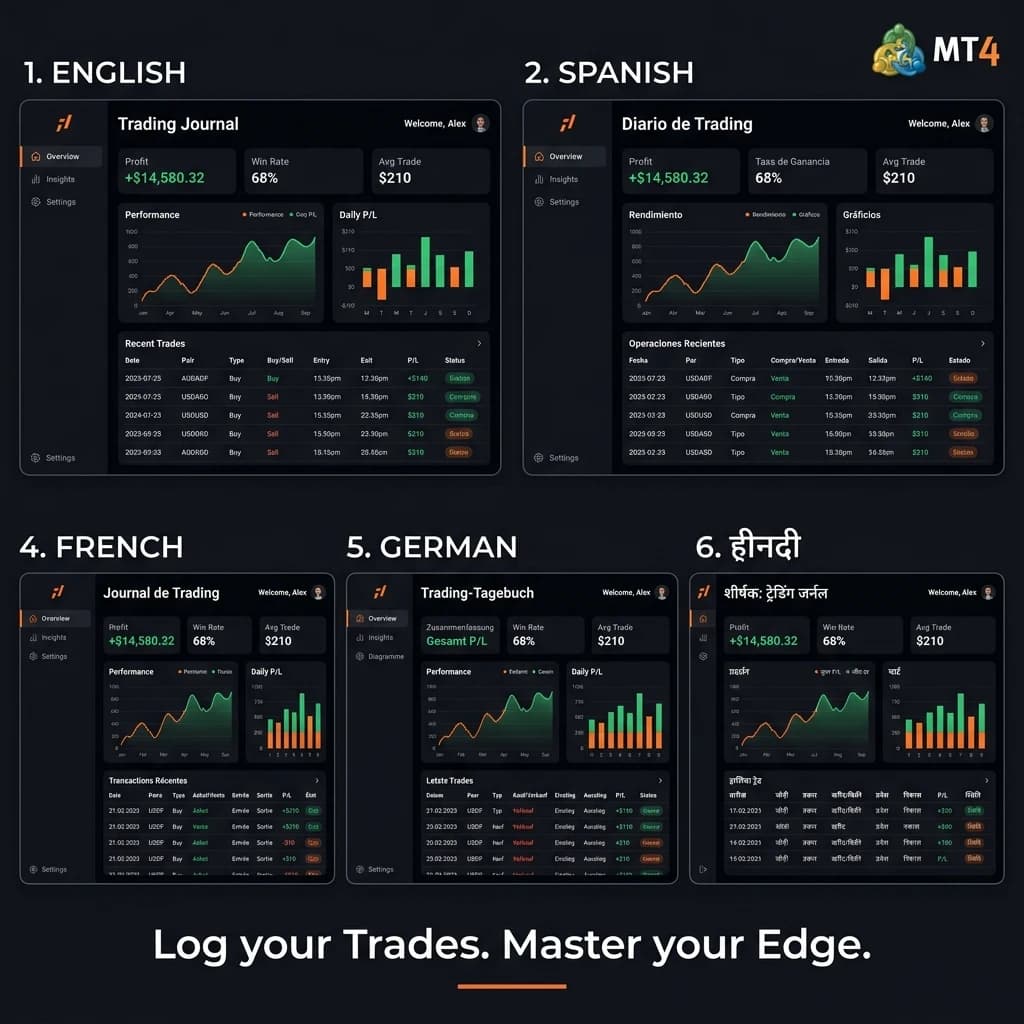
Edgelog Just Got a Lot More Global
Most trading tools are built in English, maintained in English, and — let's be real — barely translated even when they claim to be. You've seen it: buttons that half-make sense, error messages that feel machine-translated, tooltips that don't quite land. It's a friction you shouldn't have to deal with when you're trying to review a losing trade at midnight.
That changes today. Edgelog now supports 5 languages, making it one of the few genuinely multilingual free MT4 and MT5 trading journals available to retail traders anywhere in the world. Whether you're trading the London session from Madrid, grinding a prop firm challenge in Tokyo, or scalping crypto from Casablanca, your journal now works in a language that actually makes sense to you.
This isn't just a cosmetic update. It's a shift in who Edgelog is built for.
What the 5-Language Update Actually Includes
The rollout covers the full Edgelog platform — not just the landing page, not just the marketing copy. Every screen you use daily is localized:
- Dashboard labels and performance metrics
- Trade log entries and filter options
- Psychology and mindset journaling prompts
- Strategy playbook templates
- Analytics tooltips (equity curve, drawdown, profit factor, win rate)
- Navigation menus and settings panels
- Error messages and onboarding flows
The five supported languages in this release are English, Spanish, French, Arabic, and Japanese. Together, these cover a massive share of the global retail forex and crypto trading community — from Latin America's rapidly growing prop-firm scene to the active MT4 user base across North Africa and the Middle East.
Language detection is automatic. Edgelog picks up your browser's default language setting and adjusts accordingly. You can also manually switch languages from your account settings in under ten seconds.
Why Language Actually Matters for a Trading Journal
Here's something worth thinking about: journaling is a cognitive exercise. You're not just logging numbers. You're processing decisions, identifying emotional patterns, and building a mental model of your own edge. When you do that in a second language, you lose nuance. You write less. You reflect less deeply.
Sound familiar? If you've ever stared at an English-only journal prompt after a frustrating drawdown session and just typed "bad trade, moved SL," you know what we mean. That one sentence doesn't help you improve. A full reflection in your native language might.
Research in cognitive psychology consistently shows that people reason and self-reflect more accurately in their first language. For trading, that translates directly: better journaling leads to better pattern recognition, and better pattern recognition leads to better decisions. The language your journal speaks isn't a nice-to-have. It's part of the tool's effectiveness.
MT4 & MT5 Auto-Sync Still Works the Same Way — Everywhere
Nothing about the core auto-sync functionality has changed, and that's a good thing. If you're an MT4 or MT5 user, you install the Edgelog Expert Advisor (EA) on your terminal, and your trades sync automatically — no manual entry, no copy-pasting, no screenshots.
Every trade that hits your MT4 or MT5 account gets pulled into Edgelog with full metadata: entry and exit price, lot size, duration, instrument, profit/loss in both pips and currency. From there, Edgelog calculates your performance analytics automatically:
- Win rate — across all trades, by instrument, by session, or by strategy tag
- Profit factor — gross profit divided by gross loss, the number that tells you if your edge is real
- Equity curve — a visual of your account growth (or drawdown) over time
- Max drawdown — peak-to-trough so you know your worst-case exposure
- Average RRR — whether your risk-reward is holding up in live conditions
All of this now renders in your chosen language. Spanish traders see "Factor de Beneficio." French traders see "Facteur de Profit." Arabic traders see it right-to-left, because the UI supports RTL layout properly — not as an afterthought.
How Prop Firm Traders Benefit From This Update
Prop firm challenge takers are one of Edgelog's fastest-growing user groups, and they're globally distributed almost by definition. A trader in Brazil might be funded through a firm headquartered in the UK, trading US indices on MT5, with account rules in English that they had to translate manually.
That's a lot of cognitive load before you even place a trade.
Edgelog helps reduce that load by centralizing everything in one place — your trade history, your performance data, your mindset notes — and now doing it in the language you think in. When you're managing daily drawdown limits and trying to hit 8% profit targets without blowing the account, you don't want to burn mental energy interpreting your own journal.
The strategy playbook feature is particularly useful here. You can document the exact setups you're approved to take, your entry rules, your invalidation criteria, and your position sizing logic — all in your native language. When you're under pressure in a live funded account, you want to read those rules fast and clearly. Do not translate them.
If you're taking a prop challenge and not journaling, check out the blog for a breakdown of how structured journaling directly impacts challenge pass rates.
What's Coming Next for Global Traders
This five-language release is the foundation, not the ceiling. The roadmap includes additional languages based on user demand — Portuguese (Brazil), German, and Mandarin are already in the pipeline based on feedback from the community.
There are a few ways to influence what gets prioritized. Submitting language requests through the in-app feedback button signals demand directly to the development team. If you're part of a trading community or Discord group in a language not yet supported, reaching out via the FAQ page puts you in contact with the team.
A few other updates are shipping alongside the language rollout:
- Improved mobile responsiveness across all localized views
- Currency symbol localization (not just language — the right currency formatting for your region)
- Timezone-aware session tagging, so your "London session" labels actually reflect your local time
These are small things individually. Combined, they make the platform feel like it was built for where you are, not just where the developers are.
Getting Started Takes Less Than Five Minutes
If you're already an Edgelog user, the language update is live in your account right now. Go to Settings → Language and select your preference, or let it default automatically from your browser.
If you're new here, this is what Edgelog is: a free MT4 and MT5 trading journal with automatic trade sync via Expert Advisor, full performance analytics, mindset journaling, and a strategy playbook. It's built for retail forex and crypto traders who are serious about improving, not just tracking. There's no paid tier required to access the core features. Check the pricing page if you want to understand exactly what's free and what's not — it's a short read.
The language update makes Edgelog more useful for more traders than ever before. But the core idea hasn't changed: log every trade, review your data honestly, and find the patterns that separate your profitable weeks from your losing ones. That process works in any language. Now Edgelog does too.
Start a free trading journal today, pick your language, and connect your MT4 or MT5 account. Your trades are already happening — your journal should be too.